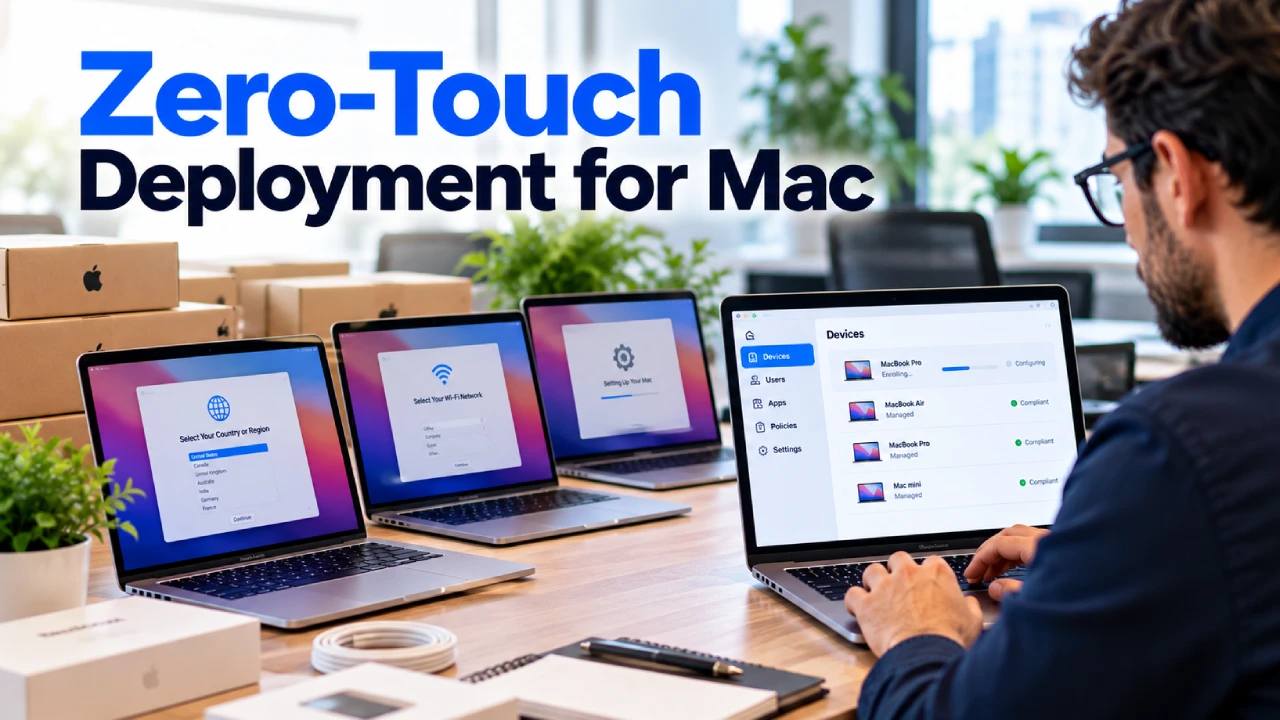
Mac computers have become an important part of many modern workplaces. From small businesses and creative teams to professional services and remote employees, organizations increasingly rely on Apple devices for everyday work.
But as the number of Macs, iPhones, and iPads within a company grows, managing every device manually becomes difficult.
Businesses in Norwalk, Connecticut, and across the USA need a reliable way to configure devices, apply security policies, manage applications, protect company information, and support employees wherever they work.
This is where professional Mac device management and Mobile Device Management (MDM) can help.
What Is Mac Device Management?
Mac device management is the process of centrally managing, configuring, securing, and maintaining Mac computers used within an organization.
Instead of configuring every Mac individually, businesses can use device management tools and policies to maintain greater control over their Apple environment.
Depending on the organization’s requirements, Apple device management for business can help IT teams manage areas such as:
- Device configuration
- Security policies
- Software deployment
- Operating system updates
- User access
- Application management
- Device inventory
- Remote support
- Compliance requirements
Centralized management becomes particularly valuable as a business adds employees, locations, and devices.
Why Businesses Need Mac Device Management
Managing a few Macs manually may be possible for a very small team.
The situation changes when a company has dozens or hundreds of devices.
Employees may work from different locations, use different software, run different versions of macOS, and require access to different company resources.
Without a consistent management process, businesses can face problems such as:
- Outdated operating systems
- Missing security updates
- Inconsistent device configurations
- Unauthorized applications
- Poor visibility into company devices
- Difficult employee onboarding
- Complicated offboarding
- Increased IT support requirements
A structured Mac management strategy helps create consistency across the organization.
How Mobile Device Management Works With Apple Devices
Mobile Device Management, commonly called MDM, provides organizations with centralized tools for managing business devices.
Despite the name, MDM is not limited to smartphones.
Modern MDM solutions can manage Macs, iPhones, iPads, and other supported devices from a centralized platform.
For businesses using Apple products, an MDM solution can help IT administrators apply configurations and security requirements without physically handling every device.
This becomes particularly useful for organizations with remote or hybrid employees across Connecticut and throughout the USA.
Key Benefits of Mac Device Management for Businesses
A well-planned device management strategy can improve both IT efficiency and security.
Centralized Device Management
IT administrators can manage multiple business devices from a central platform instead of configuring each system separately.
This can significantly simplify administration as an organization grows.
Consistent Security Policies
Security requirements can be applied more consistently across managed devices.
Depending on the environment, policies may cover passwords, encryption, software settings, access requirements, and other security configurations.
Easier Software Deployment
Employees often require specific applications to perform their jobs.
Centralized management can make it easier to deploy approved applications and maintain more consistent software configurations across business devices.
Better Update Management
Keeping operating systems and applications updated is an important part of IT security.
Device management can help organizations maintain better visibility into software versions and support a more organized update process.
Improved Device Visibility
As companies grow, keeping track of every computer, phone, and tablet can become difficult.
Device management provides better visibility into the organization’s technology inventory and the status of managed devices.
Support for Remote Employees
Remote and hybrid work can make traditional hands-on IT management difficult.
Mac device management for business allows IT teams to manage supported devices even when employees are working outside the main office.
Mac Device Security Should Be Part of Your Cybersecurity Strategy
Apple devices include many built-in security capabilities, but simply using a Mac does not eliminate cybersecurity risks.
Business devices still need to be properly configured and maintained.
Organizations should consider areas such as:
- Strong authentication
- Device encryption
- Operating system updates
- Application security
- User permissions
- Endpoint protection
- Secure network access
- Lost or stolen device procedures
- Employee access management
MDM can help businesses apply and maintain many of these requirements more consistently.
Device management should therefore work alongside broader cybersecurity services, network security, identity management, patch management, and employee security practices.
How MDM Simplifies Employee Onboarding
Employee onboarding can become time-consuming when IT teams have to manually configure every new computer.
A centralized device management strategy can make the process more consistent.
New employee devices can be prepared with appropriate settings, security policies, applications, and access requirements based on the organization’s IT policies.
This can help new employees start working sooner while reducing repetitive configuration work for IT teams.
What Happens to Devices When an Employee Leaves?
Offboarding is just as important as onboarding.
When an employee leaves an organization, the business needs to ensure company access and information are properly managed.
A documented device management process can help IT teams:
- Review company devices assigned to the employee
- Remove or restrict business access
- Update account permissions
- Protect organizational information
- Prepare returned devices for future employees
- Maintain accurate device inventory
Having a defined process reduces the risk of forgotten accounts, unmanaged devices, or unnecessary access remaining after an employee leaves.
Mac Device Management for Remote and Hybrid Businesses
Remote work has changed how businesses manage technology.
Employees may be working from home, traveling, or operating from locations far away from the company’s main office.
This makes centralized management especially valuable.
For businesses in Connecticut and across the USA, an MDM strategy can help maintain consistent device configurations regardless of where employees are physically located.
IT teams gain a more organized way to manage devices without requiring every employee to visit an office whenever a configuration or security change is needed.
Need Help Managing Business Macs and Mobile Devices?
ThinqMac helps businesses in Norwalk, Connecticut, and across the USA implement and manage Mobile Device Management solutions designed around their devices, employees, security requirements, and IT environment.
Mac Device Management and Patch Management
Device management and patch management work closely together.
Software vulnerabilities can become a security concern when operating systems and applications remain outdated.
Businesses should have a process for identifying devices that require updates and ensuring important security patches are deployed appropriately.
Combining Mac MDM with structured patch management can improve visibility and help organizations maintain a more consistent security posture across business devices.
Choosing a Device Management Solution for Your Business
There is no single device management configuration that is ideal for every company.
The right approach depends on factors such as:
- Number of employees
- Number and types of devices
- Remote work requirements
- Security policies
- Business applications
- Compliance requirements
- Existing IT infrastructure
- Employee access needs
- Future growth plans
Businesses should focus on creating a device management strategy that fits their actual technology environment rather than simply deploying software without a clear management plan.
How ThinqMac Helps Businesses Manage Apple Devices
Based in Norwalk, Connecticut, ThinqMac provides Mac-first business IT support and device management solutions for organizations locally and across the USA.
ThinqMac’s Mobile Device Management (MDM) services help businesses establish customized device management configurations based on their specific requirements.
MDM can work alongside other ThinqMac services such as cybersecurity, patch management, network management, asset management, inventory tracking, cloud services, and business IT support.
For organizations that rely heavily on Macs and other Apple devices, combining these services can provide a more complete approach to managing and securing business technology.
Build a More Manageable Apple Environment
As a company adds more employees and devices, manually managing every Mac becomes increasingly inefficient.
A centralized Mac device management strategy can provide better visibility, more consistent security policies, easier software deployment, and a more organized approach to onboarding and supporting employees.
For businesses with remote teams or growing Apple environments, MDM can become an important part of their overall IT strategy.
If your organization needs help managing Macs and other business devices, ThinqMac’s Mobile Device Management services can help develop a solution designed around your company’s technology and security requirements.
Frequently Asked Questions About Mac Device Management
1. What is Mac device management?
Mac device management is the centralized process of configuring, securing, maintaining, and monitoring Mac computers used by an organization. Businesses can use device management solutions to apply policies, deploy applications, manage updates, and maintain better visibility across their Mac environment.
2. Can MDM manage Mac computers?
Yes. Mobile Device Management is not limited to smartphones and tablets. Modern MDM solutions can be used to manage supported Mac computers as well as iPhones, iPads, and other business devices.
3. Why do small businesses need MDM?
MDM can help small businesses maintain consistent device configurations, improve security, manage software and updates, support remote employees, and simplify device administration as the organization grows.
4. Is MDM useful for remote employees?
Yes. Centralized device management is particularly useful for remote and hybrid teams because supported devices can be managed without requiring employees to bring every computer into a physical office for routine configuration and policy changes.
5. Does ThinqMac provide Mac and Mobile Device Management services across the USA?
Yes. ThinqMac is based in Norwalk, Connecticut, and provides Mac-first business IT solutions, including Mobile Device Management (MDM), for businesses locally and across the USA.