Apple computers have become an important part of many business environments. From creative agencies and consulting firms to professional services companies, employees rely on MacBooks and iMacs to manage daily operations.
However, using Macs in a business environment involves more than purchasing computers and installing applications.
As a company grows, managing employee devices, troubleshooting software problems, protecting business information, and maintaining reliable access to company systems can become increasingly complicated.
This is where professional Mac IT support for business becomes important.
While some companies manage their Apple devices internally, others require dedicated technical expertise to keep their systems running smoothly.
In this guide, we explain when businesses should consider professional Apple IT support, what services to expect, and how to choose an IT provider that understands Mac-based environments.
What Is Mac IT Support for Business?
Mac IT support for business refers to professional technical assistance and ongoing IT management for companies that use Apple computers.
Unlike basic consumer troubleshooting, business IT support focuses on keeping employees productive while maintaining the security and reliability of the company’s technology environment.
Depending on the service agreement, business Mac support may include:
- macOS troubleshooting and maintenance
- Business application support
- Employee account administration
- Network and Wi-Fi troubleshooting
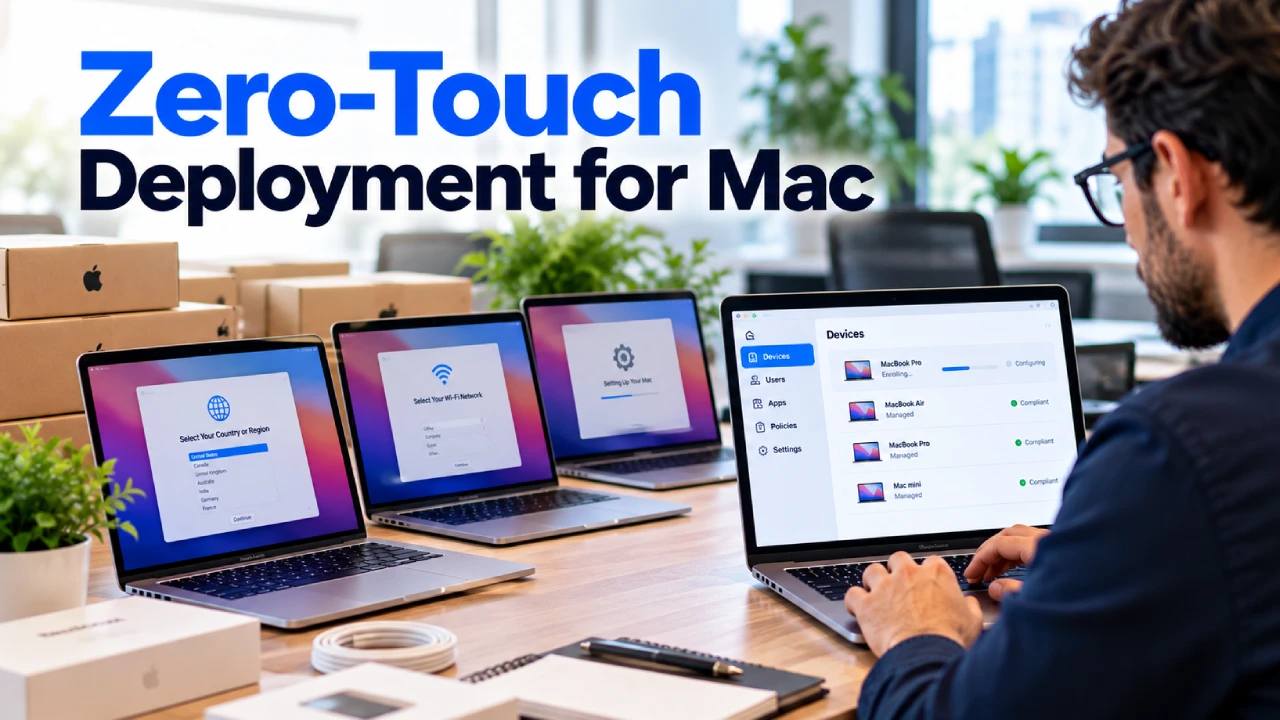
- Device configuration and deployment
- Software compatibility assistance
- Security configuration
- Remote and on-site technical support
- Backup and recovery planning
- Support for mixed Mac and Windows environments
The exact services depend on the provider and the business’s requirements.
For companies with multiple employees, structured Mac support can reduce the need for business owners to resolve every technical issue themselves.
Why Is Business Mac IT Support Different From Personal Mac Support?
A personal Mac user may only need assistance when an application stops working or a device develops a problem.
Businesses have additional responsibilities.
Employees need consistent access to email, shared documents, business applications, and company networks.
Administrators may also need to control software installations, manage employee permissions, and protect company information when devices are lost or employees leave.
Consider a business with 25 employees using MacBooks.
If one employee experiences a software problem, the issue may be relatively straightforward.
However, if a company-wide application becomes incompatible with a macOS update, multiple employees could be affected simultaneously.
Business-focused IT support addresses these broader operational requirements.
7 Signs Your Business Needs Professional Mac IT Support
1. Employees Regularly Experience Mac Problems
Occasional technical issues are normal.
However, repeated problems with slow computers, application crashes, email access, or network connectivity can interrupt daily work.
If employees frequently spend time troubleshooting their own devices, your business may need a more organized support process.
Professional Mac IT support can help investigate recurring issues and identify whether they relate to software, hardware, network configuration, or other systems.
2. Your Business Has More Macs Than Your Team Can Manage
Managing two or three computers may be relatively straightforward.
Managing 30 or 50 devices requires more coordination.
Your company needs to know which devices are assigned to employees, what software they use, and whether important configurations are being maintained.
Without a structured process, device administration can become inconsistent.
A professional Apple IT support provider can help businesses establish repeatable procedures for managing supported devices.
3. New Employee Mac Setup Takes Too Long
When a new employee joins your company, they may need access to:
- A configured MacBook
- Business email
- Shared company files
- Approved applications
- Network resources
- Required security settings
If every employee setup is handled manually without a consistent process, onboarding can take longer than necessary.
A documented device deployment process can make preparation more predictable.
Businesses should also consider how accounts and devices will be managed when employees leave.
4. macOS Updates Cause Application Problems
Keeping operating systems updated is important, but businesses also need to consider application compatibility.
Some organizations rely on specialized software, plugins, or integrations that may require testing before a major macOS upgrade.
For example, a creative agency may depend on specific design applications, while a professional services firm may use specialized accounting or document-management tools.
An IT provider familiar with Apple environments can help assess compatibility requirements and plan updates around business operations.
The goal is to maintain supported, secure systems without introducing unnecessary disruption.
5. Your Business Uses Both Mac and Windows Computers
Many companies do not operate exclusively on one platform.
A business may use MacBooks for employees, Windows-based applications for certain departments, and cloud services across the entire organization.
These environments require coordination.
Common challenges include:
- Shared file access
- Network permissions
- Printer compatibility
- Business application access
- User account management
- Consistent security requirements
A provider with experience supporting both platforms can help identify how these systems should work together.
6. You Are Concerned About Company Data on Employee Devices
Business computers may contain or provide access to sensitive information.
This can include customer records, internal documents, business communications, and cloud applications.
Companies should understand how employee devices are configured and what happens if a device is lost, stolen, or reassigned.
Depending on the environment, appropriate controls may include encryption, access management, supported remote security actions, and documented device procedures.
For businesses managing multiple Apple devices, Mobile Device Management may form part of a broader IT strategy.
However, MDM is not a replacement for complete cybersecurity management.
7. Your Business Has No Dedicated Mac IT Specialist
Some organizations rely on an employee who is comfortable using Apple computers.
That employee may help coworkers with basic troubleshooting, but using a Mac is not the same as managing a business IT environment.
Business support can involve networking, identity management, cloud systems, security policies, and technical troubleshooting.
If no one is formally responsible for these areas, problems may remain unresolved or be handled inconsistently.
An external IT provider can offer additional expertise without requiring the company to build an entire internal IT department.
What Services Should a Business Mac IT Support Provider Offer?
Not every Apple IT provider offers the same services.
Before selecting a provider, businesses should determine which capabilities are important to their environment.
| Service | Business benefit |
|---|---|
| macOS troubleshooting | Helps resolve employee device problems |
| Remote IT support | Provides assistance without requiring every issue to be handled on-site |
| On-site assistance | Supports problems requiring physical access to equipment |
| Device deployment | Establishes consistent setup procedures |
| Network support | Helps maintain access to business resources |
| Security configuration | Supports appropriate device and access controls |
| Backup planning | Helps prepare for data-loss scenarios |
| Cloud application support | Assists employees using supported business platforms |
| IT planning | Helps align technology decisions with business requirements |
A company with a small number of Macs may primarily need troubleshooting and account assistance.
A larger organization may require ongoing device administration, infrastructure management, and technology planning.
The service agreement should reflect these differences.
Managed Mac IT Services vs Break-Fix Mac Support
Businesses generally encounter two broad approaches to professional IT assistance.
Break-Fix Mac Support
Break-fix support focuses on resolving technical problems when they occur.
A company contacts an IT provider, explains the issue, and pays according to the agreed service arrangement.
This approach can be suitable for businesses with occasional support needs.
However, it may not include ongoing monitoring, maintenance, or technology planning.
Managed Mac IT Services
Managed IT services involve an ongoing relationship with an IT provider.
Depending on the agreement, services may include recurring maintenance, help desk assistance, monitoring, device administration, and IT planning.
The provider may also help establish processes for employee onboarding, device changes, and recurring technical issues.
| Feature | Break-Fix Support | Managed Mac IT Services |
|---|---|---|
| Support approach | Primarily reactive | Ongoing, with agreed proactive services |
| Billing | Often incident-based | Often recurring |
| Device maintenance | May be requested separately | May be included |
| IT planning | Usually limited | May be part of the agreement |
| Employee support | Based on individual requests | Based on contract coverage |
Neither model automatically includes every service.
Businesses should compare written agreements to understand the actual coverage.
Can a Regular IT Support Company Manage Business Macs?
Some general IT providers have extensive experience with Windows environments but limited experience administering Apple devices.
Others support both platforms.
When evaluating a provider, ask about its experience with the Apple technologies your company actually uses.
For example:
- Does the provider regularly troubleshoot macOS?
- Can it support your required business applications?
- Does it understand Apple device deployment?
- Can it assist with your existing cloud services?
- Does it support mixed Mac and Windows environments?
- Can it provide remote and on-site assistance where required?
A provider’s experience should be evaluated against your specific technical requirements rather than its marketing claims alone.
How Much Does Mac IT Support for Business Cost?
The cost of business Mac support depends on several factors.
These may include the number of employees, the number of supported devices, the complexity of the IT environment, and the level of service required.
Businesses should also consider whether they need occasional troubleshooting or ongoing managed IT services.
Common cost factors
Number of supported devices: More computers can increase the amount of administration and technical assistance required.
Support hours: Extended coverage may involve different pricing.
Remote and on-site requirements: Some technical issues can be resolved remotely, while others require physical assistance.
Additional services: Security administration, cloud management, and infrastructure projects may be separate from basic help desk support.
Business locations: Supporting multiple offices may require additional coordination.
Before requesting a quote, prepare an accurate overview of your devices, employees, applications, and existing IT challenges.
Avoid comparing providers solely on their advertised monthly prices.
A lower-priced agreement may exclude services that another provider includes.
Mac IT Support for Remote and Hybrid Employees
Remote work creates additional support requirements.
Employees may connect to business systems from home networks, shared workspaces, or different office locations.
They may also depend on cloud applications, video conferencing, and shared document platforms.
Businesses need clear procedures for handling device problems when employees cannot visit the office.
Remote IT assistance can help investigate supported software, configuration, and account issues.
However, not every problem can be resolved remotely.
Hardware failures and certain network problems may still require physical service.
An effective support plan should explain how remote and on-site issues are handled.
How to Choose a Mac IT Support Provider for Your Business
Selecting an IT provider is an operational decision, not simply a technology purchase.
Before entering an agreement, evaluate the following areas.
Apple-specific experience
Ask whether the provider regularly supports business Mac environments.
Request information about the types of Apple devices and applications it can support.
Business understanding
Your IT provider should understand which systems are essential to daily operations.
For example, a company that relies on customer appointments may prioritize email and scheduling availability.
A design agency may have different application and storage requirements.
Support availability
Determine when employees can request assistance and how urgent problems are handled.
Security responsibilities
Clarify which security-related tasks are included in the agreement.
Scalability
Consider whether the provider can support additional employees, devices, and locations as your business grows.
Communication and documentation
Ask how technical problems are recorded, escalated, and communicated.
Clear documentation can help reduce confusion when employees or IT providers change.
Mac IT Support for Businesses in Norwalk, CT
Businesses in Norwalk and surrounding Connecticut communities may need a combination of remote assistance and local technical support.
For organizations using Apple computers, it is useful to work with an IT provider that understands both Mac-specific issues and the wider business technology environment.
thinq mac is a Norwalk-based, Mac-first managed IT services provider supporting Apple and mixed-device business environments.
Its published services include Helpdesk + IT Support, device management, network support, and other IT management capabilities.
Businesses can review these services to determine which areas align with their existing technology needs.
Need Professional Mac IT Support for Your Business?
If your company is experiencing recurring Mac problems, struggling to manage employee devices, or planning to expand its Apple environment, professional IT assistance may help.
thinq mac works with businesses using Apple and mixed-device technology environments.
Contact thinq mac to discuss your current systems, support requirements, and business IT goals.
Visit thinq mac to learn more about its services.
Frequently Asked Questions
What is the difference between AppleCare and business Mac IT support?
AppleCare provides coverage and support according to the applicable Apple service plan.
Business Mac IT support can address broader organizational requirements, including employee account administration, networks, business applications, and ongoing IT management.
The services are different and may complement one another.
Does my small business need a dedicated Mac IT specialist?
Not every small business needs a full-time internal specialist.
However, companies with multiple Macs, recurring technical issues, or complex business applications may benefit from professional Apple IT support.
Can Mac IT support providers manage Microsoft 365?
Some providers support Microsoft 365 in Mac-based environments.
Businesses should confirm the provider’s experience with their required applications and administrative needs.
Is managed Mac IT support suitable for remote employees?
It can be.
Depending on the agreement, remote support may help employees with software problems, account access, device configuration, and other supported technical issues.
Can one IT provider support both Macs and Windows computers?
Yes. Some IT providers specialize in mixed-device business environments.
Confirm the provider’s expertise with both operating systems before selecting a service.
How do I know when to outsource Mac IT support?
Consider outsourcing when technical problems repeatedly interrupt employees, device administration becomes difficult, or your company needs expertise that is unavailable internally.
Final Thoughts
Mac computers can support a wide range of business activities, but managing them across an organization requires planning and technical expertise.
As employee numbers increase, businesses may face new challenges involving device configuration, software compatibility, network access, security, and ongoing support.
Professional Mac IT support for business can help organizations address these requirements through a more structured approach.
The right provider should understand your Apple environment, support your essential applications, and offer services that match your business’s operational needs.
Looking for Mac-focused business IT assistance?
Explore thinq mac’s IT services and contact the team to discuss your Apple and mixed-device support requirements.