Mobile technology has transformed the way businesses operate. Employees now work from offices, homes, client locations, and while traveling. Smartphones, tablets, and laptops keep teams connected and productive regardless of where they are. While this flexibility has created new opportunities, it has also introduced new security challenges that every business must address.
Every mobile device connected to your company network can become a potential entry point for cyber threats if it is not properly managed. A lost smartphone, an outdated operating system, or an unsecured tablet can expose sensitive business information and create costly security risks.
This is where Mobile Device Management (MDM) becomes essential.
Mobile Device Management gives businesses the ability to control, monitor, and secure all company devices from one centralized platform. Instead of manually configuring every device or worrying about security settings being overlooked, IT administrators can manage everything remotely while ensuring every device follows company policies.
At Thinq Mac, we help businesses simplify device management through reliable Mobile Device Management solutions designed for modern workplaces. Whether your employees use company-owned devices or personal devices for work, our team ensures every device remains secure, compliant, and ready to support your daily operations.
In this guide, you’ll learn what Mobile Device Management is, how it works, why it matters, and how it can help protect your business while improving productivity.
Why Mobile Device Management Matters
Businesses today depend on mobile devices more than ever before. Employees access emails, cloud applications, customer records, financial data, and internal communication tools throughout the day. Without proper management, these devices can quickly become difficult to monitor and secure.
Imagine an employee loses a company iPhone while traveling. If the device contains customer information, confidential emails, or saved passwords, your business could face a serious security incident. The same applies when employees use outdated software or connect to unsecured public WiFi networks.
Mobile Device Management helps prevent these situations before they become major problems.
Instead of reacting after a security breach, businesses can proactively manage devices, enforce security policies, and protect company data from anywhere.
What Is Mobile Device Management?
Mobile Device Management, commonly known as MDM, is software that allows businesses to remotely manage smartphones, tablets, laptops, and other business devices from a centralized dashboard.
Once a device is enrolled in the MDM platform, administrators can configure settings, install applications, monitor compliance, enforce security policies, and provide remote support without needing physical access to the device.
This simplifies IT management while improving security across the organization.
Businesses can manage:
- Apple Mac computers
- MacBooks
- iPhones
- iPads
- Android phones
- Android tablets
- Windows laptops
- Company-owned devices
- Employee-owned devices used for work
Instead of spending hours configuring each device individually, administrators can deploy standardized settings automatically, saving valuable time while maintaining consistency across the business.
How Mobile Device Management Works
The process begins by enrolling each device into the Mobile Device Management platform.
Enrollment can be completed manually or automatically through services such as Apple Business Manager. Once enrolled, every device receives the organization’s approved security settings and business applications.
From a centralized management console, IT administrators can:
- Configure email accounts
- Deploy business applications
- Install WiFi settings
- Configure VPN access
- Enforce password requirements
- Enable device encryption
- Schedule software updates
- Restrict unauthorized applications
- Track compliance status
- Lock lost devices
- Erase sensitive company data remotely when necessary
Employees receive devices that are fully configured and ready to use without requiring complicated setup.
For growing businesses, this saves time while ensuring every employee follows the same security standards.
Why Businesses Need Mobile Device Management
As businesses grow, managing dozens or hundreds of mobile devices manually becomes nearly impossible.
Employees frequently join the company, change devices, work remotely, or travel between offices. Without centralized management, IT teams spend valuable time performing repetitive setup tasks while security gaps continue to increase.
Mobile Device Management helps businesses overcome these challenges by creating one consistent process for every device.
Some of the biggest advantages include:
Better Security
Every enrolled device follows company security policies, reducing the chances of unauthorized access or data theft.
Faster Device Deployment
New employees receive fully configured devices within minutes instead of hours.
Improved Productivity
Employees spend less time troubleshooting technical issues and more time focusing on their work.
Simplified IT Management
Administrators manage every device from one dashboard instead of handling each device individually.
Stronger Compliance
Businesses operating in regulated industries can maintain security standards and demonstrate compliance more easily.
Reduced Downtime
Remote troubleshooting allows many technical issues to be resolved without requiring employees to visit the office or ship devices to the IT department.
For organizations with remote teams, multiple office locations, or hybrid work environments, Mobile Device Management has become an essential part of modern IT operations.
At Thinq Mac, our Mobile Device Management services help businesses deploy secure, reliable, and scalable solutions that grow alongside their organization.
Key Features of Mobile Device Management
A modern Mobile Device Management solution offers much more than basic device tracking. It gives businesses the tools they need to secure data, simplify IT management, and improve the user experience for employees.
Here are some of the most valuable features every business should look for.
Centralized Device Management
One dashboard gives administrators complete visibility into every enrolled device. Whether your business has ten devices or several hundred, everything can be managed from a single location.
Administrators can quickly check device status, monitor compliance, install updates, and resolve issues without needing physical access to the device.
Remote Configuration
Setting up devices manually takes time and increases the chance of configuration errors.
With Mobile Device Management, devices can be configured automatically with:
- Corporate email accounts
- WiFi settings
- VPN connections
- Security certificates
- Business applications
- Device restrictions
Employees receive devices that are ready to use immediately after enrollment.
Application Management
Not every application belongs on a business device.
MDM allows IT administrators to install approved applications, remove unnecessary software, and prevent employees from installing unauthorized apps that could introduce security risks.
This keeps devices secure while ensuring employees have access to the tools they need.
Security Policy Enforcement
Strong security begins with consistent policies.
Mobile Device Management allows businesses to enforce important security requirements across every enrolled device, including:
- Strong password requirements
- Automatic screen locking
- Full device encryption
- Multi-factor authentication
- Automatic operating system updates
- Restricted device settings
Instead of relying on employees to configure their own devices, administrators know every device follows the same security standards.
Remote Lock and Remote Wipe
Lost or stolen devices are one of the biggest concerns for businesses.
If a device goes missing, administrators can immediately lock it to prevent unauthorized access. If necessary, company data can also be erased remotely while protecting sensitive business information.
This feature helps reduce the impact of lost devices and supports compliance with many industry regulations.
Real-Time Monitoring
Administrators can continuously monitor:
- Device health
- Operating system versions
- Storage availability
- Installed applications
- Security compliance
- Device inventory
This visibility helps identify problems early before they affect employees or create security risks.
Benefits of Mobile Device Management
Investing in Mobile Device Management delivers long-term value that goes beyond security. It helps businesses improve efficiency, reduce operational costs, and create a better experience for employees.
Improved Data Security
Business information is one of your organization’s most valuable assets.
Mobile Device Management protects sensitive data through encryption, secure authentication, access controls, and remote security actions when devices are lost or stolen.
Whether employees work from the office or remotely, company information remains protected.
Increased Employee Productivity
Employees perform their best when technology works as expected.
Automatically configured devices allow employees to start working immediately without lengthy setup processes or frequent technical issues.
Software updates, application installations, and troubleshooting can all be completed remotely, reducing interruptions during the workday.
Simplified IT Operations
Without Mobile Device Management, IT teams often spend hours setting up devices, installing software, resetting passwords, and troubleshooting basic problems.
Automation reduces repetitive work, allowing IT professionals to focus on strategic projects that help the business grow.
Consistent Device Experience
Every employee receives the same applications, settings, and security configurations.
This consistency reduces confusion, simplifies employee onboarding, and improves overall operational efficiency.
Lower IT Costs
Managing devices remotely reduces travel, onsite support visits, and manual setup time.
Businesses often lower support costs while improving service quality through centralized management.
Better Support for Remote Work
Hybrid and remote work have become part of everyday business.
Mobile Device Management allows employees to work securely from almost anywhere while giving administrators complete control over company devices.
Businesses no longer need employees to visit the office simply to receive software updates or technical assistance.
Mobile Device Management and BYOD
Many organizations allow employees to use their personal smartphones, tablets, or laptops for work. This approach, commonly known as Bring Your Own Device (BYOD), offers flexibility while reducing hardware costs.
However, BYOD also creates unique security challenges.
Without proper management, personal devices may store company emails, documents, passwords, and customer information without adequate protection.
Mobile Device Management allows businesses to support BYOD programs while maintaining security.
Business data remains protected without interfering with employees’ personal information.
Administrators can manage work applications, enforce security policies, and remove business data when an employee leaves the company without deleting personal photos, contacts, or private files.
This balance between privacy and security makes BYOD practical for modern organizations.
Apple Business Manager and Mobile Device Management
Businesses that rely on Apple devices benefit greatly from integrating Apple Business Manager with their Mobile Device Management platform.
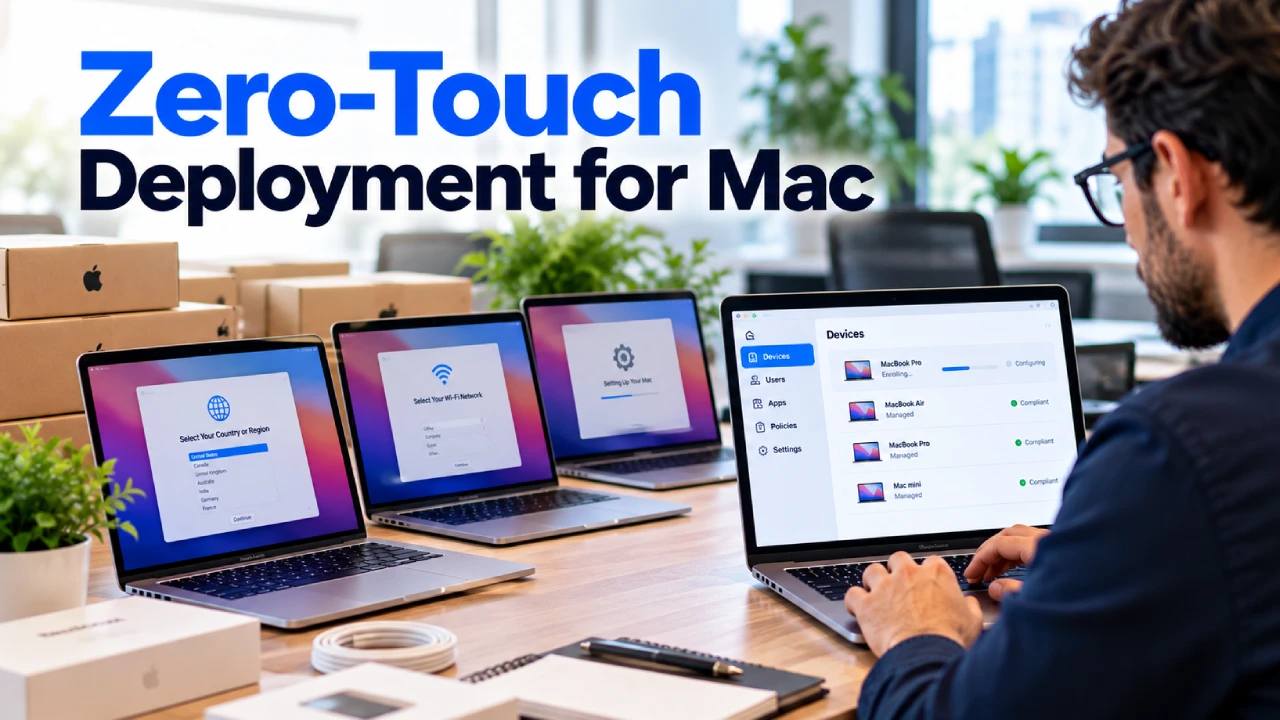
Apple Business Manager simplifies the deployment of Macs, iPhones, and iPads by automatically enrolling new devices into the company’s MDM system.
As soon as an employee turns on a new device, company settings, applications, and security policies are installed automatically.
This eliminates manual configuration while improving consistency across every Apple device.
At Thinq Mac, we help businesses integrate Apple Business Manager with Mobile Device Management to streamline deployment and simplify ongoing administration.
For businesses using Apple technology, this combination provides one of the most efficient ways to manage company devices.
Industries That Benefit from Mobile Device Management
Nearly every business relies on mobile devices to support daily operations. Whether employees work in the office, remotely, or travel between client locations, keeping devices secure has become a business priority.
Here are some industries where Mobile Device Management provides significant value.
Healthcare
Healthcare providers use mobile devices to access patient records, communicate with staff, and manage appointments. Protecting sensitive patient information is essential.
Mobile Device Management helps healthcare organizations enforce security policies, encrypt data, and maintain compliance with industry regulations.
Financial Services
Banks, accounting firms, and financial advisors manage confidential financial information every day.
MDM helps secure business devices by preventing unauthorized access, enforcing strong authentication, and protecting customer data.
Legal Firms
Law firms handle contracts, case files, and confidential client communications.
Mobile Device Management ensures legal professionals can work remotely while keeping sensitive documents secure.
Education
Schools, colleges, and universities often manage hundreds of student and staff devices.
MDM simplifies device deployment, software updates, application management, and classroom security while reducing the workload for IT departments.
Retail Businesses
Retail employees frequently use tablets and mobile devices for inventory management, customer service, and payment processing.
Centralized device management helps retailers maintain consistent configurations while protecting customer information.
Small and Medium Businesses
Many small businesses believe Mobile Device Management is only for large enterprises.
In reality, small and growing businesses benefit the most because they often have limited IT resources.
MDM automates routine tasks, improves security, and reduces the time spent managing employee devices.
Common Mobile Security Risks Businesses Face
Without Mobile Device Management, businesses expose themselves to a variety of security risks.
Lost or Stolen Devices
Employees carry mobile devices everywhere.
If a company device is lost or stolen, sensitive business information can quickly become accessible to unauthorized individuals.
Remote lock and remote wipe capabilities significantly reduce this risk.
Weak Passwords
Simple passwords remain one of the most common security vulnerabilities.
MDM allows businesses to require strong passwords and enforce password policies across every device.
Outdated Software
Operating system updates often include important security patches.
Mobile Device Management helps ensure devices remain updated and protected against newly discovered vulnerabilities.
Unapproved Applications
Employees may unknowingly install applications that introduce malware or expose sensitive company information.
Application management allows businesses to approve trusted software while blocking risky applications.
Public WiFi Networks
Employees frequently connect to public wireless networks while traveling.
Without proper security controls, these connections can expose business information to cybercriminals.
MDM helps enforce secure network settings and VPN usage when employees work outside the office.
Why Choose Thinq Mac for Mobile Device Management?
Managing business devices requires more than installing software. It requires a strategy that balances security, productivity, and long-term scalability.
At Thinq Mac, we work closely with businesses to design Mobile Device Management solutions that fit their operations and future growth.
Our team understands the unique requirements of businesses that depend on Apple technology while also supporting mixed-device environments.
When you partner with Thinq Mac, you receive:
- Professional MDM deployment
- Apple Business Manager integration
- Device enrollment and configuration
- Ongoing monitoring and management
- Security policy implementation
- Remote troubleshooting and support
- Software deployment
- Compliance assistance
- Expert IT guidance
Our goal is to simplify device management while helping your employees work securely from anywhere.
Whether your business manages twenty devices or several hundred, we build solutions that grow with your organization.
Conclusion
Mobile devices have become an essential part of modern business operations. They improve communication, support remote work, and give employees the flexibility to stay productive wherever they are.
However, every connected device also represents a potential security risk if it is not managed properly.
Mobile Device Management gives businesses complete visibility and control over their devices while reducing security threats, simplifying IT administration, and improving employee productivity.
From automated device deployment to remote support and advanced security controls, MDM helps businesses operate more efficiently while protecting valuable company information.
If your organization is looking for a smarter way to manage Apple devices, smartphones, tablets, or laptops, Thinq Mac can help you build a secure and scalable Mobile Device Management solution tailored to your business needs.
Ready to Secure Your Business Devices?
Managing business devices should not be complicated.
The experts at Thinq Mac help businesses deploy, secure, and manage Apple and mobile devices with reliable Mobile Device Management solutions designed for today’s workplace.
Whether you need to secure a small team or hundreds of devices across multiple locations, we’re here to help.
Call us: (203) 807-8727
Email: info@thinqmac.com
Contact Thinq Mac today to schedule a consultation and discover how Mobile Device Management can strengthen your business security while simplifying IT operations.
Frequently Asked Questions
What is Mobile Device Management?
Mobile Device Management is a solution that allows businesses to remotely manage, secure, monitor, and configure smartphones, tablets, laptops, and other mobile devices from one centralized platform.
Is Mobile Device Management only for large businesses?
No. Small and medium-sized businesses benefit from Mobile Device Management by improving security, reducing IT workload, and simplifying device deployment as they grow.
Can Mobile Device Management manage Apple devices?
Yes. Modern MDM solutions support Macs, MacBooks, iPhones, and iPads. When combined with Apple Business Manager, businesses can automate device enrollment and configuration.
Does Mobile Device Management support remote employees?
Yes. IT administrators can deploy applications, enforce security policies, troubleshoot issues, and manage devices remotely, making MDM ideal for hybrid and remote work environments.
How can Thinq Mac help with Mobile Device Management?
Thinq Mac provides complete Mobile Device Management services, including deployment, Apple Business Manager integration, security configuration, ongoing monitoring, remote support, and expert IT guidance to help businesses keep their devices secure and efficiently managed.